Daily reminders, at the times you set.
Aheado is a routine reminder app for iPhone. Vitamins, medication, workouts, watering the plants: pick the days and up to four times a day, and Aheado reminds you every time.
Free to start. No account needed.
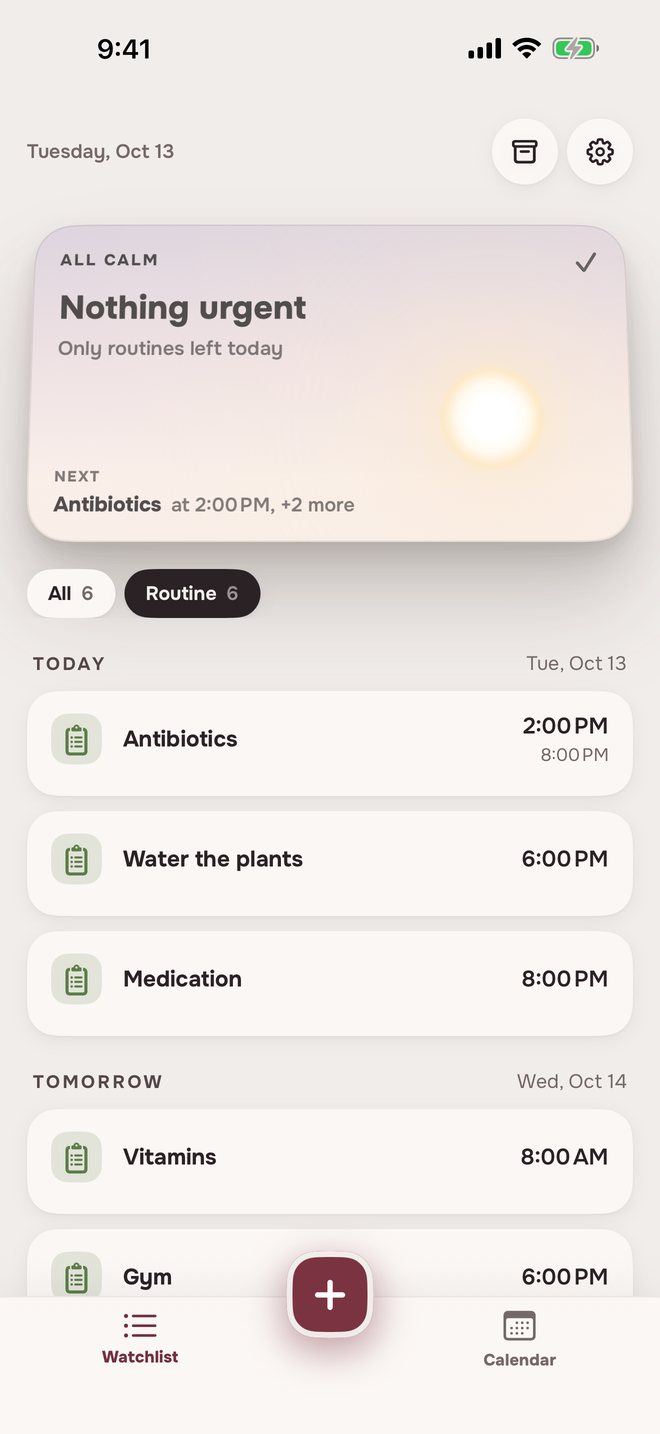
How to set a routine reminderName, schedule, done.
Name and dates
Pick when it starts. Leave Ends at Never, or set a date for something like a course of pills.
Days and times
Every day, chosen days of the week, or every few days. Up to four times a day.
A heads-up, if you like
At the time, plus 1 hour, 30 or 15 minutes before, or your own.
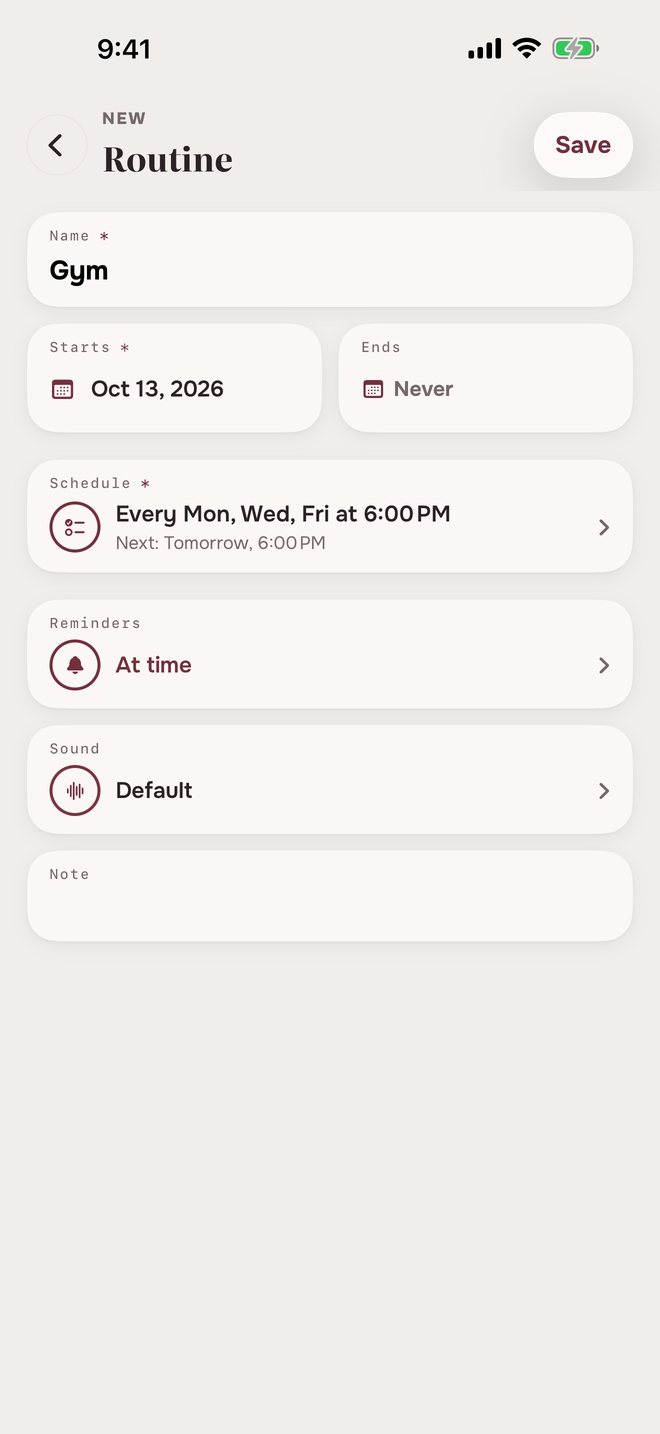
Repeating remindersSome days, or every few.
GymMon, Wed, Fri at 6:00 PM
 Gym5:30 PM
Coming up in 30 minutes
- Gym6:00 PM
Time for Gym
- Gym5:30 PM
Coming up in 30 minutes
- Gym6:00 PM
Time for Gym
Water the plantsEvery 3 days at 6:00 PM
- Water the plants6:00 PM
Time for Water the plants
- Water the plants6:00 PM
Time for Water the plants
- Water the plants6:00 PM
Time for Water the plants
- Water the plants6:00 PM
Time for Water the plants
It keeps going until you pause it, archive it or it reaches its end date.
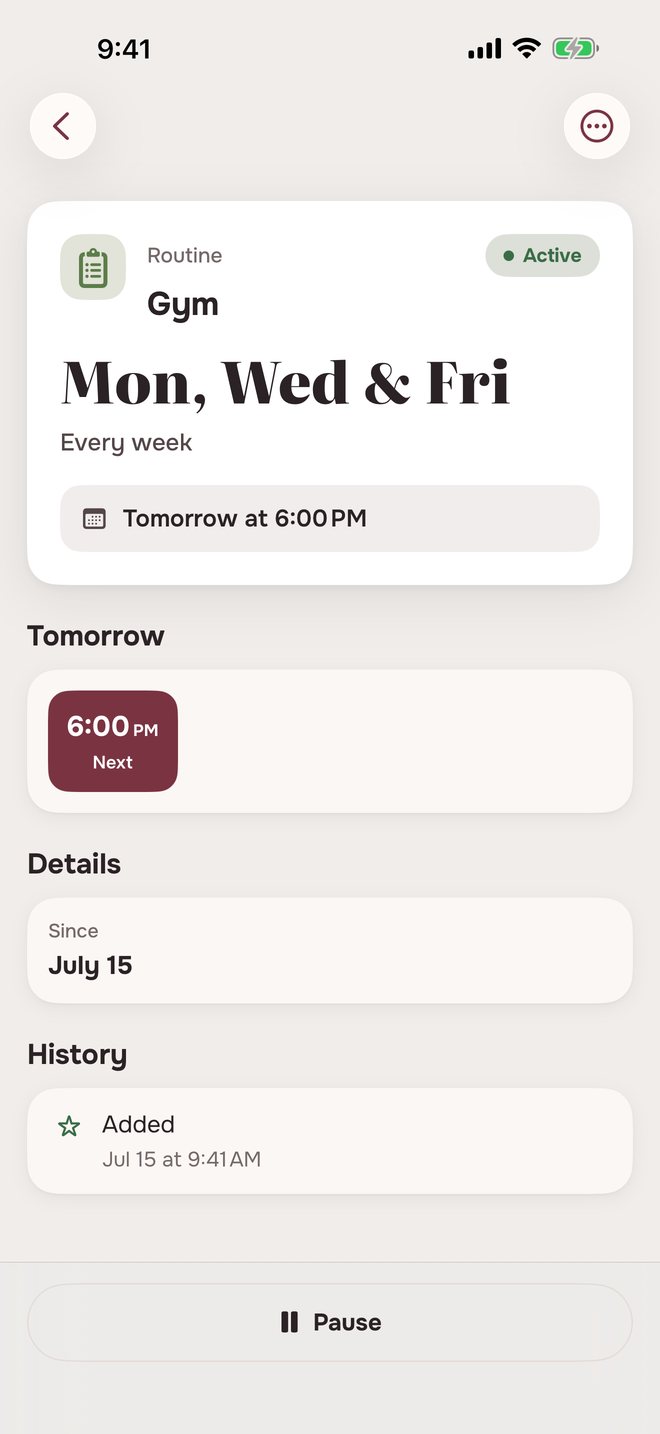
Pausing a routinePause it, resume it, or put it away.
Routines don’t need ticking off. They just stop when you say so.
Routine reminders in three placesAlways in view.
The same routines, in three places.
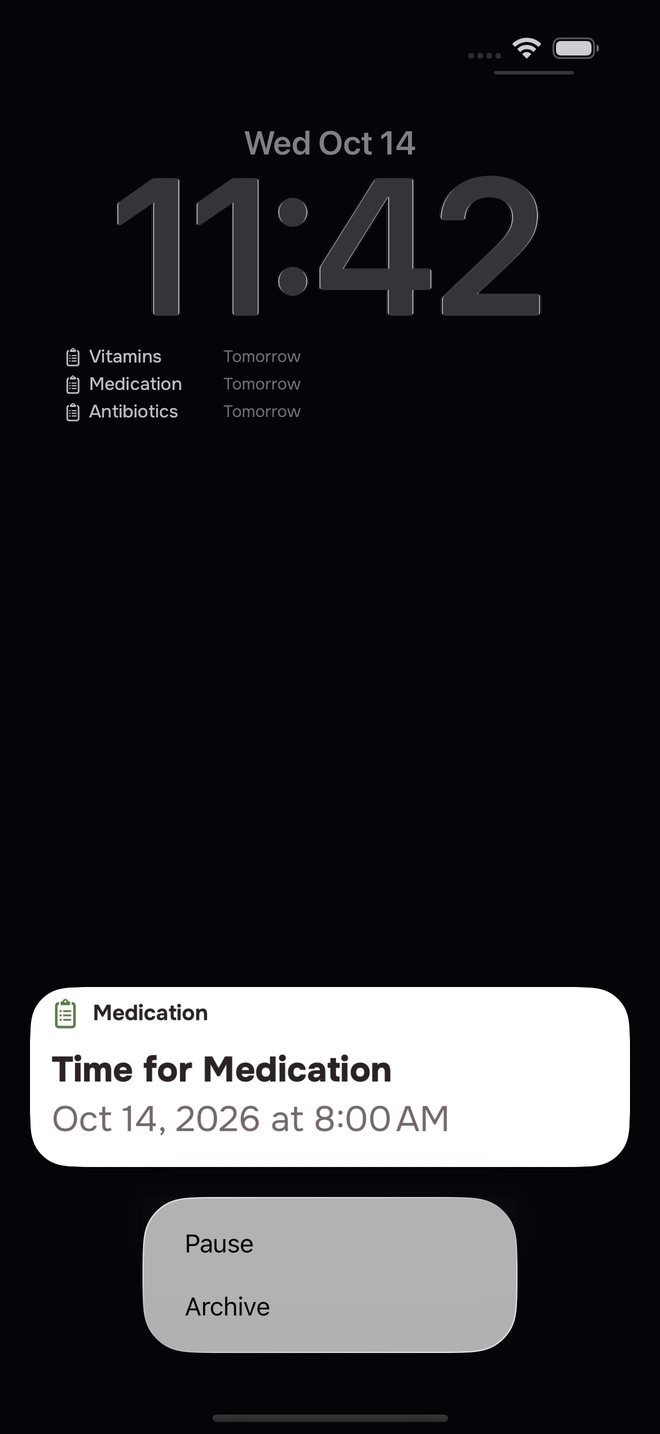
On the Lock Screen
Pause or archive it right from the reminder.
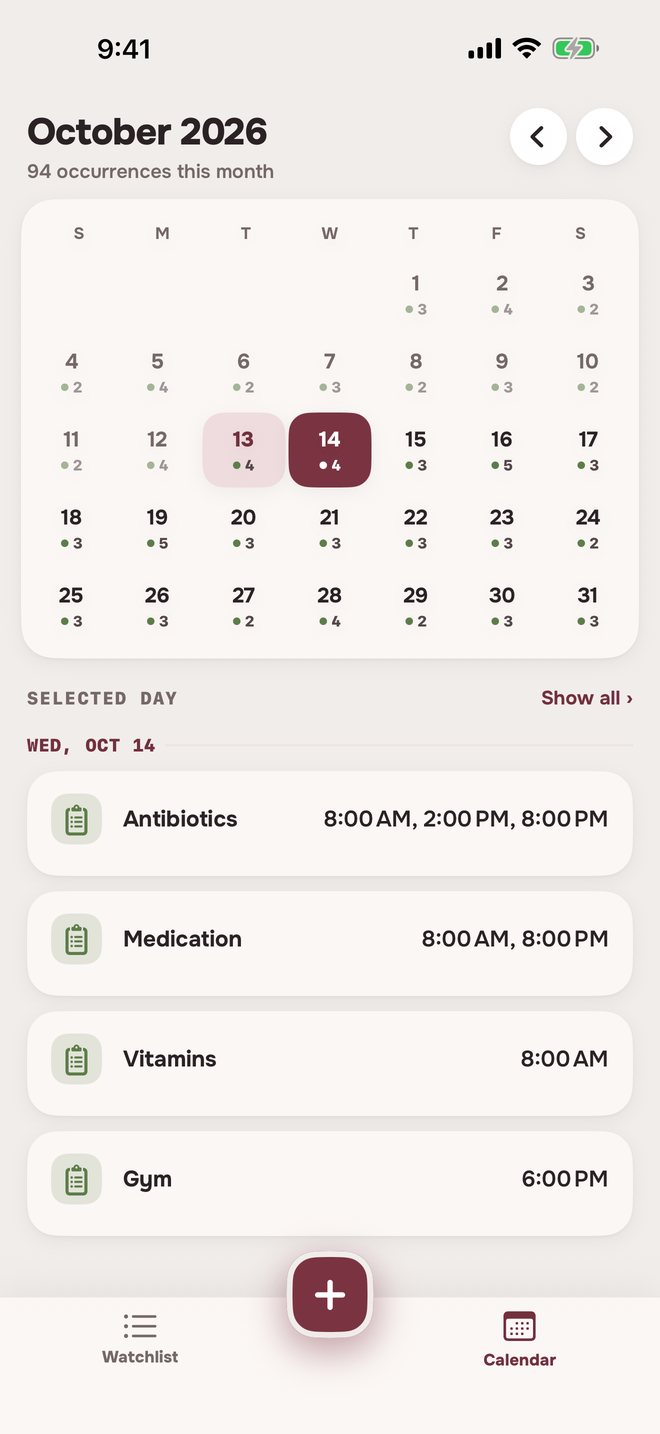
On the calendar
Every day’s routines, with all their times.
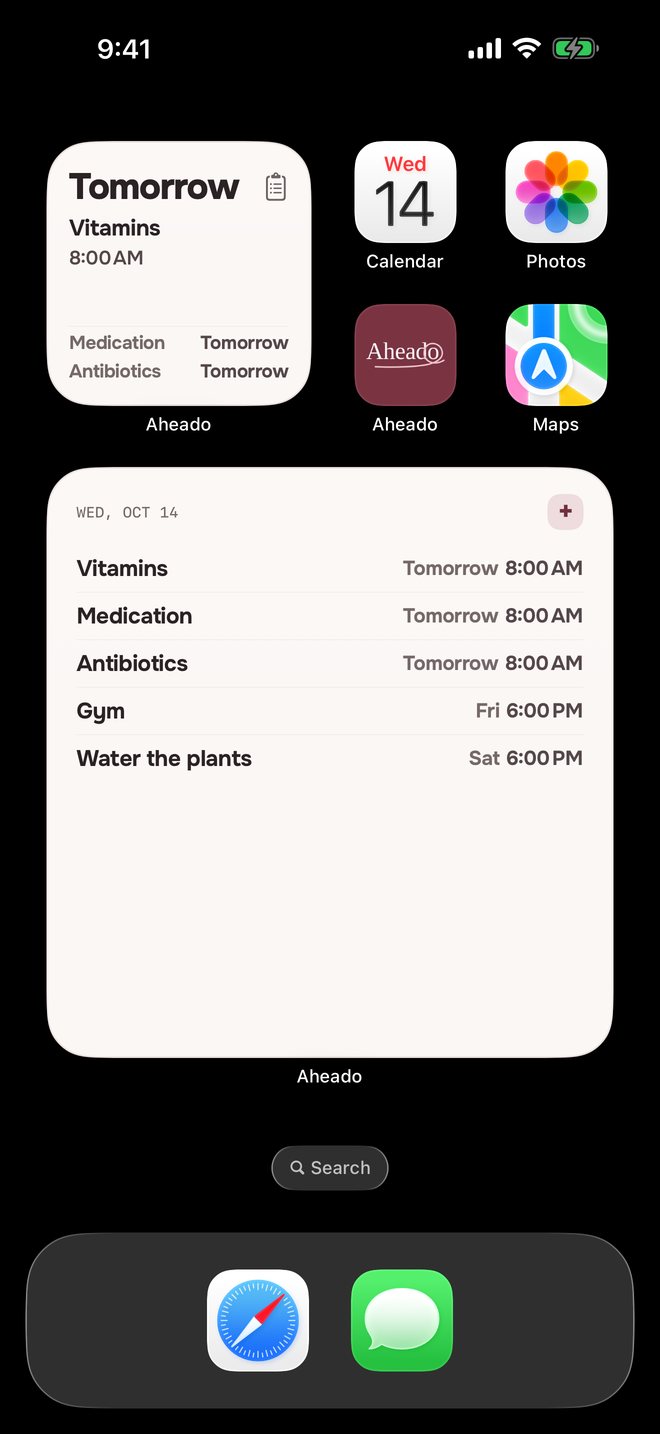
On the Home Screen
What’s next and when. The large widget comes with Aheado+.Aheado+
Looking for a daily reminder app?
What app reminds me at the same time every day?
Aheado is an iPhone app for routine reminders: vitamins, medication, workouts, chores. Pick the days and times once, and it reminds you every time, with an optional heads-up 1 hour, 30 or 15 minutes before.
Can I get a reminder several times a day?
Yes. A routine can have up to four times a day, like 8:00 AM, 2:00 PM and 8:00 PM, and you can set a different time for some days.
Can a reminder repeat every few days?
Yes. Choose Every few days and set a number of days or weeks, like every 3 days for watering the plants. Or pick days of the week: every day, weekdays, weekends or any days you choose.
Can I mark a routine as done?
No. A routine is a reminder at set times, with nothing to tick off and no streaks. If you miss one, the next reminder comes as usual.
Can I pause a routine?
Yes. Tap Pause on the routine, or press and hold a reminder and tap Pause. Paused routines stay in their own section on the Watchlist until you tap Resume.
Can a routine end on a date?
Yes. Set Ends to the last day, for example for a course of antibiotics. After that day the routine moves to Archive.
Is Aheado free?
Aheado is free for up to 10 entries across all six categories. Aheado+ removes the limit: $1.99 a month, $14.99 a year with the first month free, or $34.99 once.
More questions, and how it works in detailShow fewer
Can I use my own voice as the reminder sound?
Yes. In Sound, open My recordings and tap Record new to record up to 30 seconds. The free plan includes 3 voice reminders, and Aheado+ removes the limit.
Can I get a reminder before the time?
Yes. Add 1 hour, 30 minutes or 15 minutes before, or your own in minutes or hours. It always comes before the next time of the same routine.
Can I see my routines on the Home Screen?
Yes. The small and medium widgets and the Lock Screen widget are free and show what’s next. The large widget comes with Aheado+.
Does it work without an account?
Yes. Aheado has no sign-up, email or password. Reminders are scheduled on the iPhone itself, so they arrive even without a connection.
Does it sync across my iPhone and iPad?
Yes, with Aheado+. Your routines sync through your own iCloud, so a change on one device shows up on the other. Without Aheado+, everything stays on the device you use.
Does Aheado work on Android?
No. Aheado is made for iPhone.
How routine reminders work in Aheado
Custom reminders
+ Custom lets you pick a heads-up in minutes or hours. It has to be shorter than the gap to the routine’s next time, so two reminders never land together.
Archive, restore and delete
Archive stops a routine and keeps it out of the way, and you can restore it. Delete removes it for good, with all its scheduled reminders.
Everything else Aheado tracks.
Forewarned is ahead.
Set your routines once. Aheado keeps the times for you.
Download on theApp StoreFree for up to 10 entries. Aheado+ from $1.99 a month.