Document expiration reminders, months ahead.
Aheado is a document expiration reminder app for iPhone. Passports, ID cards, driver’s licenses, insurance and residence permits: add the expiry date once and hear about it months before.
Free to start. No account needed.
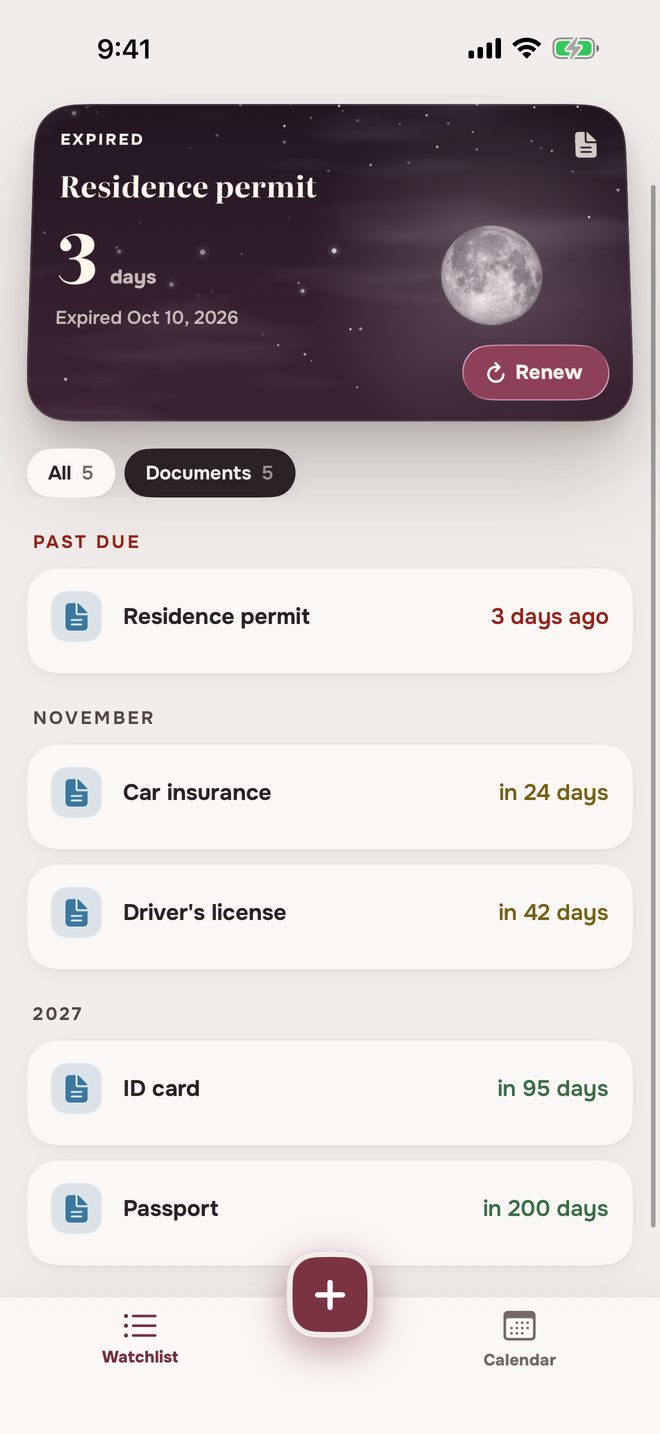
How to add a documentName, dates, done.
Name it
Passport, ID card, car insurance: any document with an expiry date.
Issued on and Expires
Only the expiry date is required. Add the issue date too, and renewing later suggests the same term.
How early to hear about it
6 months, 3 months, 1 month, 2 weeks, 1 week or 1 day before, and on the expiry day. Pick as many as you like.
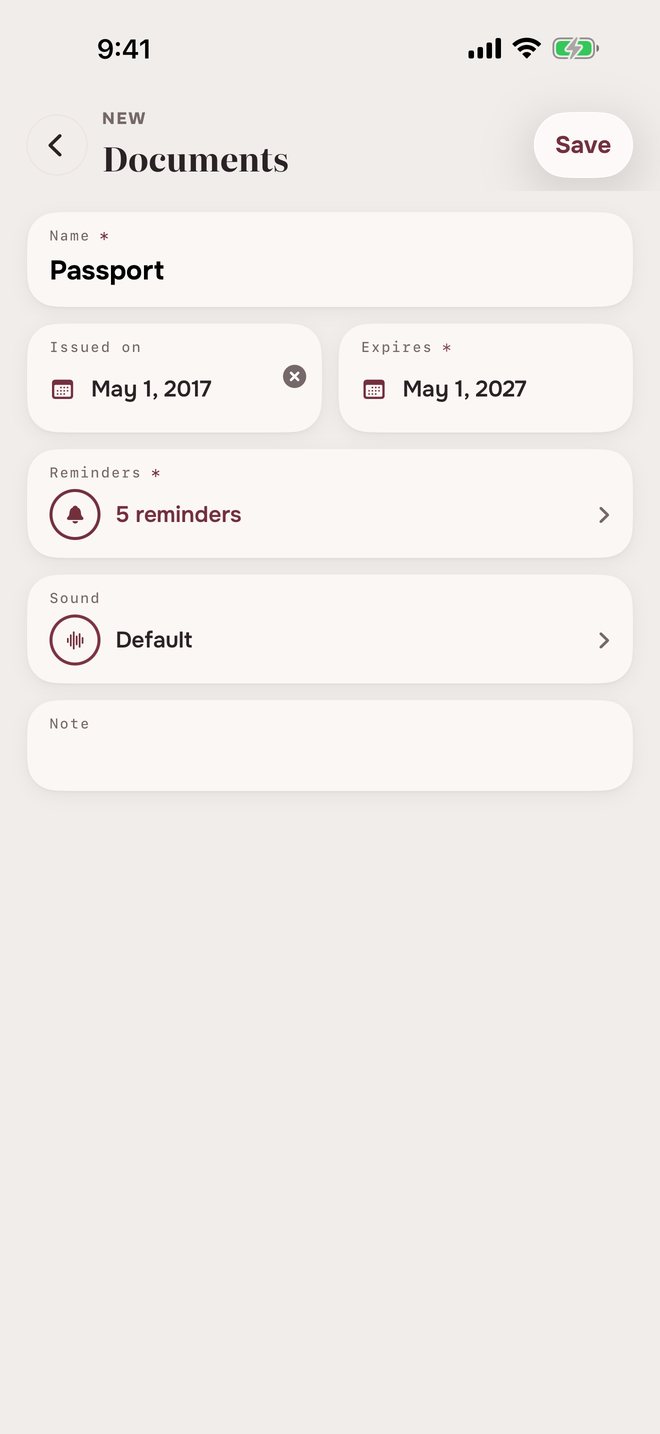
Passport and document expiry remindersMonths ahead, not days.
Many countries ask for months of validity left on a passport, and renewing can take weeks. So reminders can start half a year out.
PassportSat, May 1, 2027
 Passport9:00 AM
Expires in 6 months
- Passport9:00 AM
Expires in 3 months
- Passport9:00 AM
Expires in 1 month
- Passport9:00 AM
Expires in 1 week
- Passport9:00 AM
Expires today
Car insuranceFri, Nov 6
- Car insurance9:00 AM
Expires in 2 weeks
- Car insurance9:00 AM
Expires in 1 week
- Car insurance9:00 AM
Expires tomorrow
- Car insurance9:00 AM
Expires today
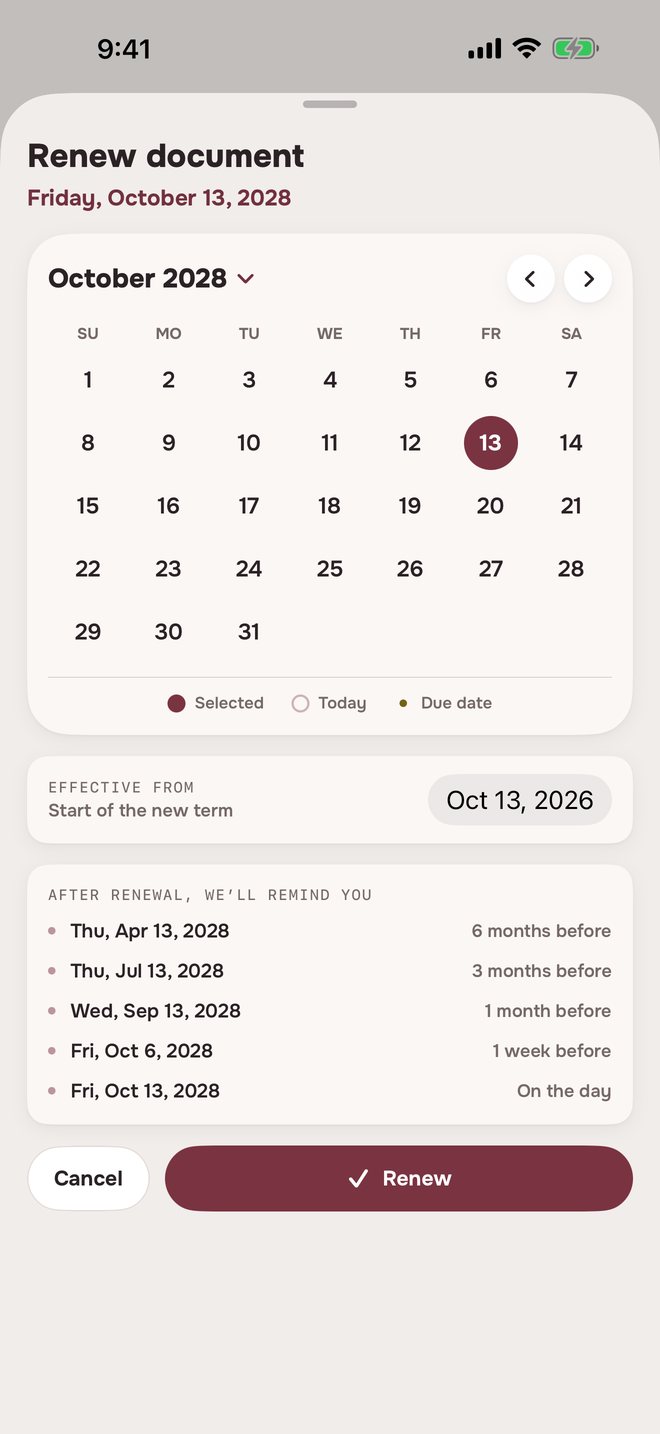
Tap Renew at any point and the reminders start over for the new date.
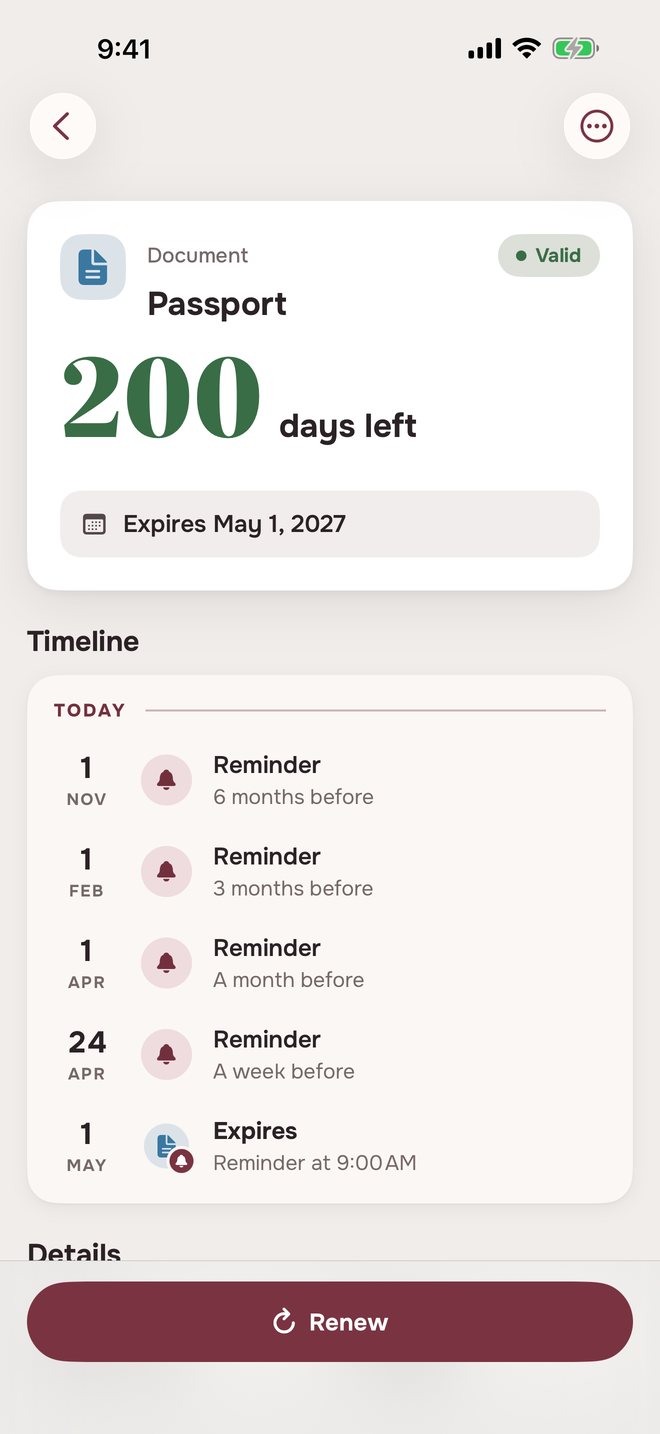
Expired document remindersExpired? It stays in sight.
The day after, one Has expired reminder. The document stays in Past due for 60 days, ready to renew, then moves to Archive.
Residence permitSat, Oct 10
- Residence permit9:00 AM
Expires today
- Residence permit9:00 AM
Has expired
- Residence permit9:00 AM
Moved to Archive
Renewed it late? Tap Renew and pick the new date.
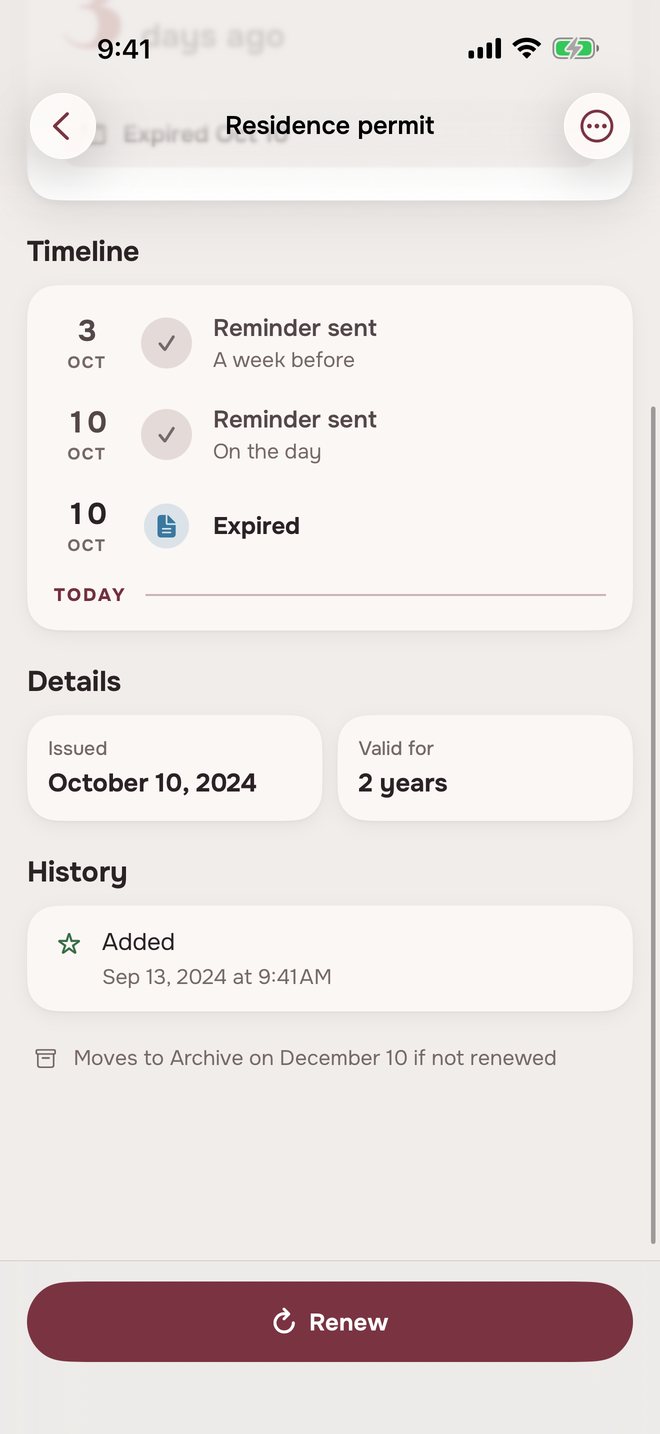
Renewing a documentRenewed? Pick the new date.
The reminders carry over to the new term, in the same units.
Document reminders in three placesAlways in view.
The same documents, in three places.
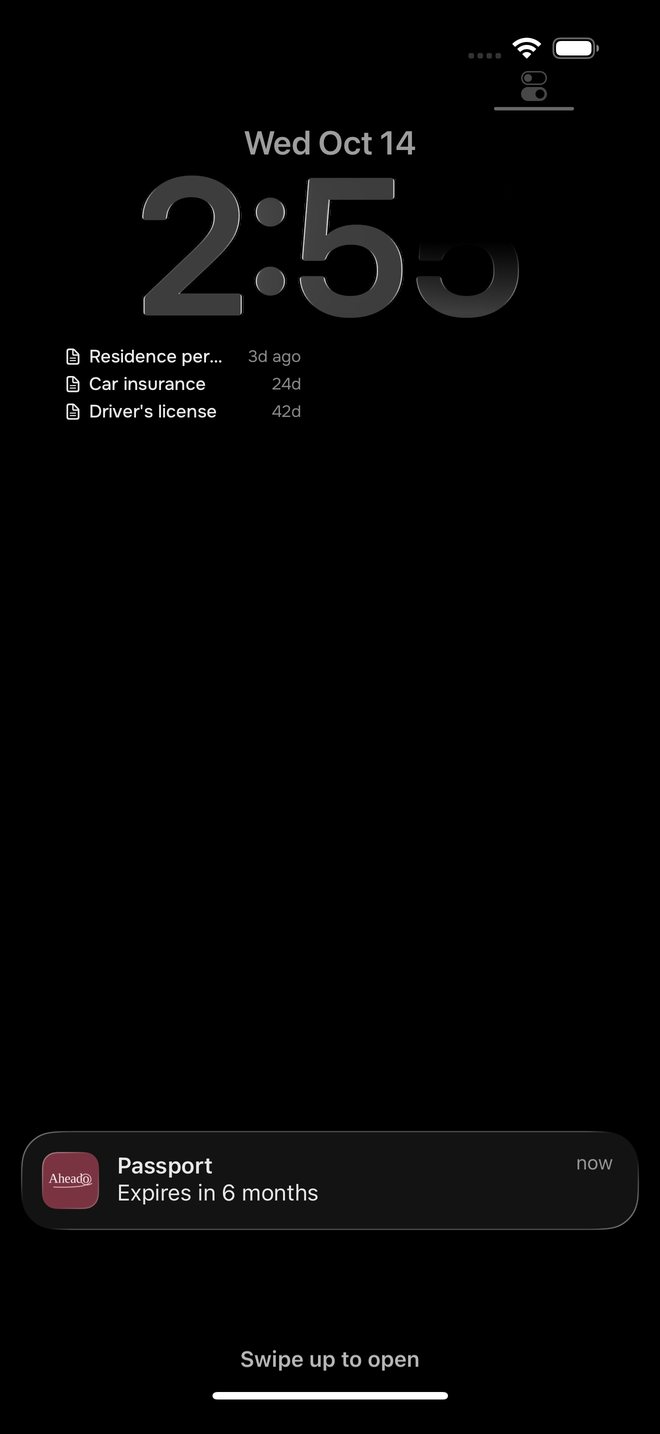
On the Lock Screen
Months ahead, with the name and how long is left.
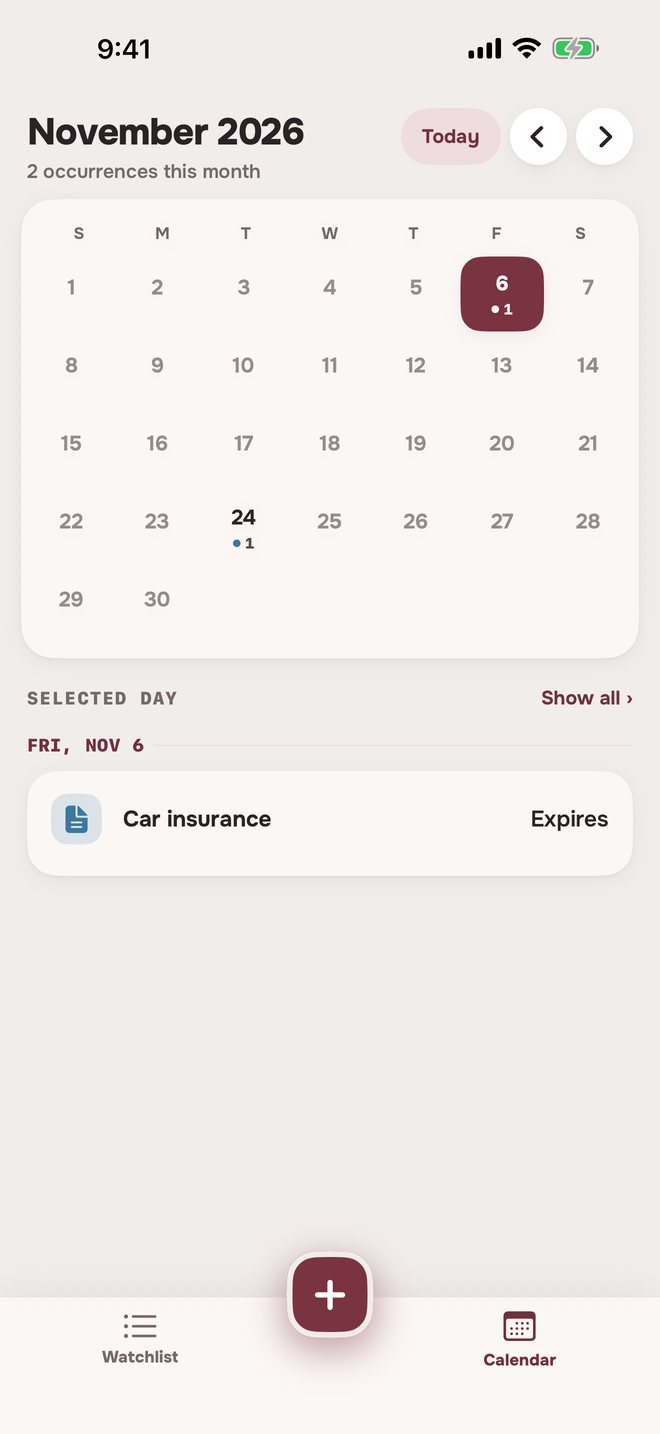
On the calendar
Each document on its expiry day.
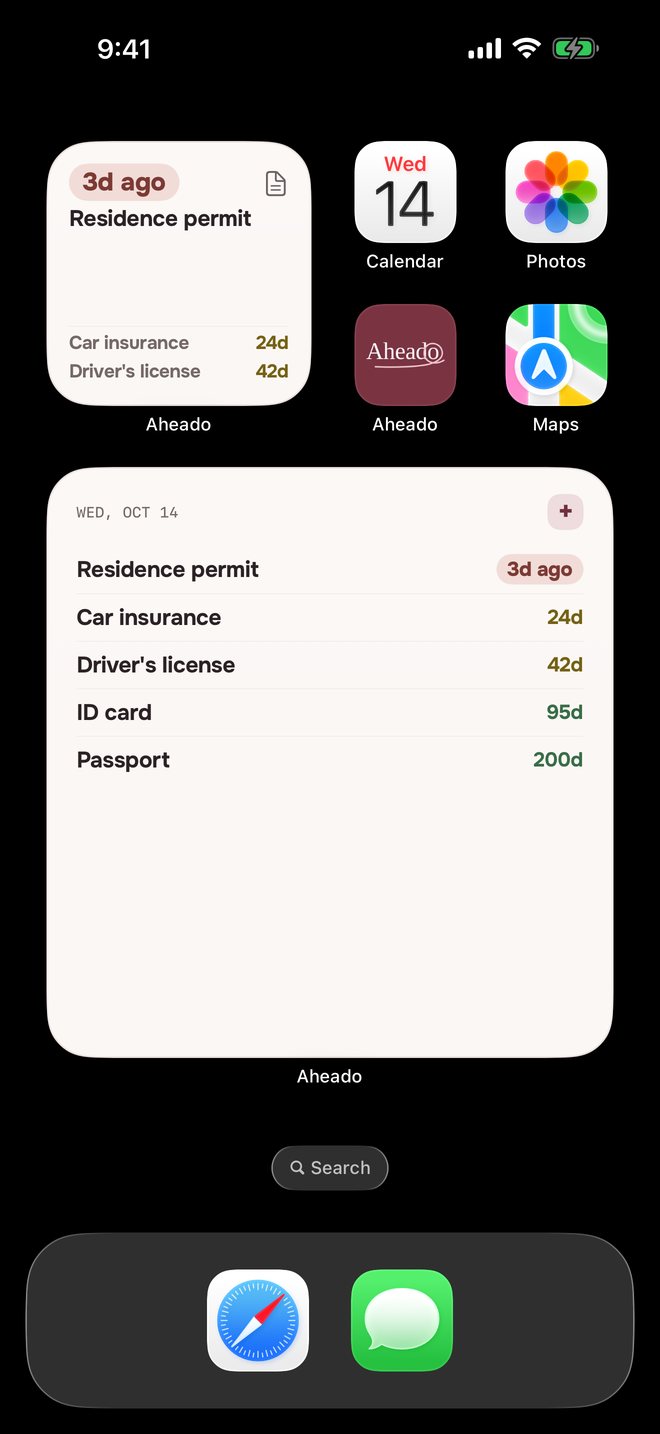
On the Home Screen
Expired first, then what’s next. The large widget comes with Aheado+.Aheado+
Looking for a document expiration reminder?
What app reminds me before my passport expires?
Aheado is an iPhone app that reminds you before passports, ID cards, driver’s licenses, insurance and other documents expire. Add the expiry date and pick your reminders: 6 months, 3 months, 1 month, 2 weeks, 1 week or 1 day before, and on the expiry day.
How early should I be reminded to renew my passport?
Many countries ask for three to six months of validity left when you arrive, and renewing can take weeks. That’s why Aheado can remind you 6 months ahead, then again closer to the date.
What happens after a document expires?
The day after, you get one Has expired reminder. The document stays in Past due on the Watchlist for 60 days, then moves to Archive. Tap Renew at any point to enter the new expiry date.
What documents can I track?
Anything with an expiry date: passports, ID cards, driver’s licenses, visas and residence permits, car and health insurance, warranties and memberships.
How do I renew a document in Aheado?
Tap Renew and pick the new expiry date. If you added the issue date, the same term is suggested, like 10 years for a passport or 1 year for insurance. Your reminders carry over to the new date, and a banner offers Undo.
Can I track my family’s passports?
Yes. Add each one as its own document with its own name and dates, and each gets its own reminders.
Is Aheado free?
Aheado is free for up to 10 entries across all six categories. Aheado+ removes the limit: $1.99 a month, $14.99 a year with the first month free, or $34.99 once.
More questions, and how it works in detailShow fewer
Can I get a reminder on the day it expires?
Yes. At expiry is on from the start, and it arrives at your reminder time: 9:00 AM unless you change it in Settings.
Does Aheado store my document number or a photo?
No. A document in Aheado is a name, the dates and an optional note. Nothing else is asked for.
Can I see expiry dates on the Home Screen?
Yes. The small and medium widgets and the Lock Screen widget are free and show what’s expired and what’s next. The large widget comes with Aheado+.
Does it work without an account?
Yes. Aheado has no sign-up, email or password. Reminders are scheduled on the iPhone itself, so they arrive even without a connection.
Does it sync across my iPhone and iPad?
Yes, with Aheado+. Your documents sync through your own iCloud, so one added or renewed on one device shows up on the other. Without Aheado+, everything stays on the device you use.
Does Aheado work on Android?
No. Aheado is made for iPhone.
How document reminders work in Aheado
Custom reminders
+ Custom lets you pick any number from 1 to 90 in days, weeks or months. The reminder keeps the unit you chose, like “Expires in 5 months”.
Archive, restore and delete
Archive keeps a document and its history out of the way. Restore brings it back with a new expiry date. Delete removes it for good, with all its scheduled reminders.
Everything else Aheado tracks.
Forewarned is ahead.
Put your documents in once. Aheado watches the expiry dates for you.
Download on theApp StoreFree for up to 10 entries. Aheado+ from $1.99 a month.