Bill reminders, before every due date.
Aheado is a bill reminder and tracker for iPhone. Add rent, utilities or a one-off bill, and it reminds you before it’s due, on the last day to pay, and after, until you mark it paid.
Free to start. No account needed.
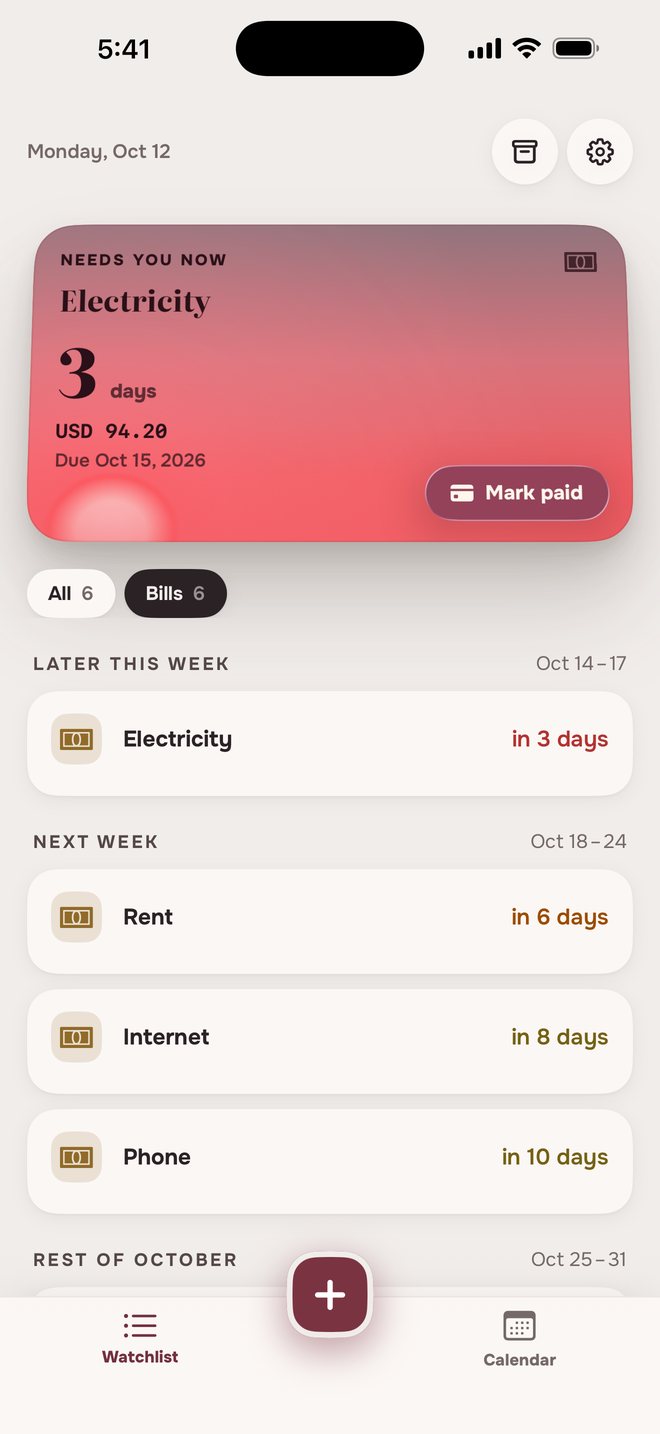
No bank login. No autopay.
It doesn’t pay for you
You pay the way you always do, then tap Mark paid and the reminders stop.
It doesn’t connect to your bank
You type in what you owe. Nothing to link, no login to hand over.
How to set a bill reminderDue date, amount, done.
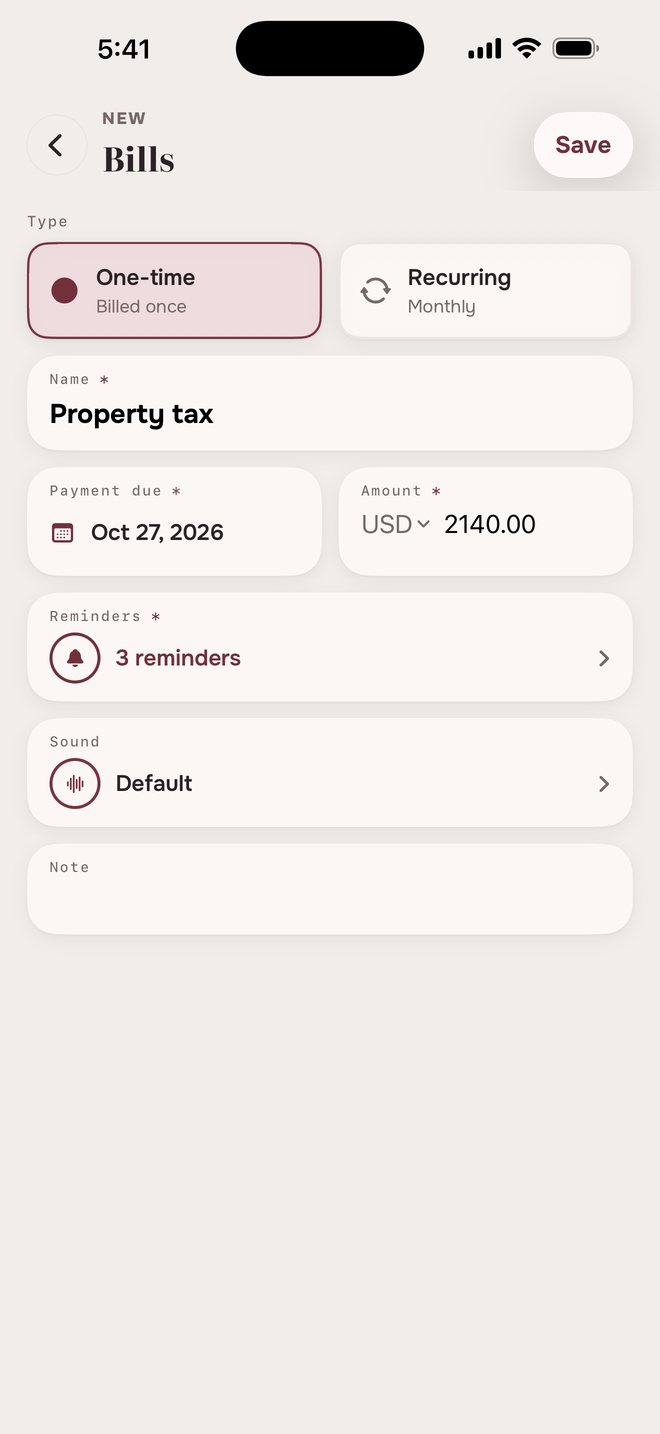
One-time or recurring
For a parking ticket or a tax bill. Once it’s paid, it moves to Archive.
Name, due date and amount
What it’s called, when it’s due and how much. A recurring bill also gets its billing cycle.
How early to hear about it
Pick your reminders. “On the due date” is already on, and Aheado keeps reminding you after.
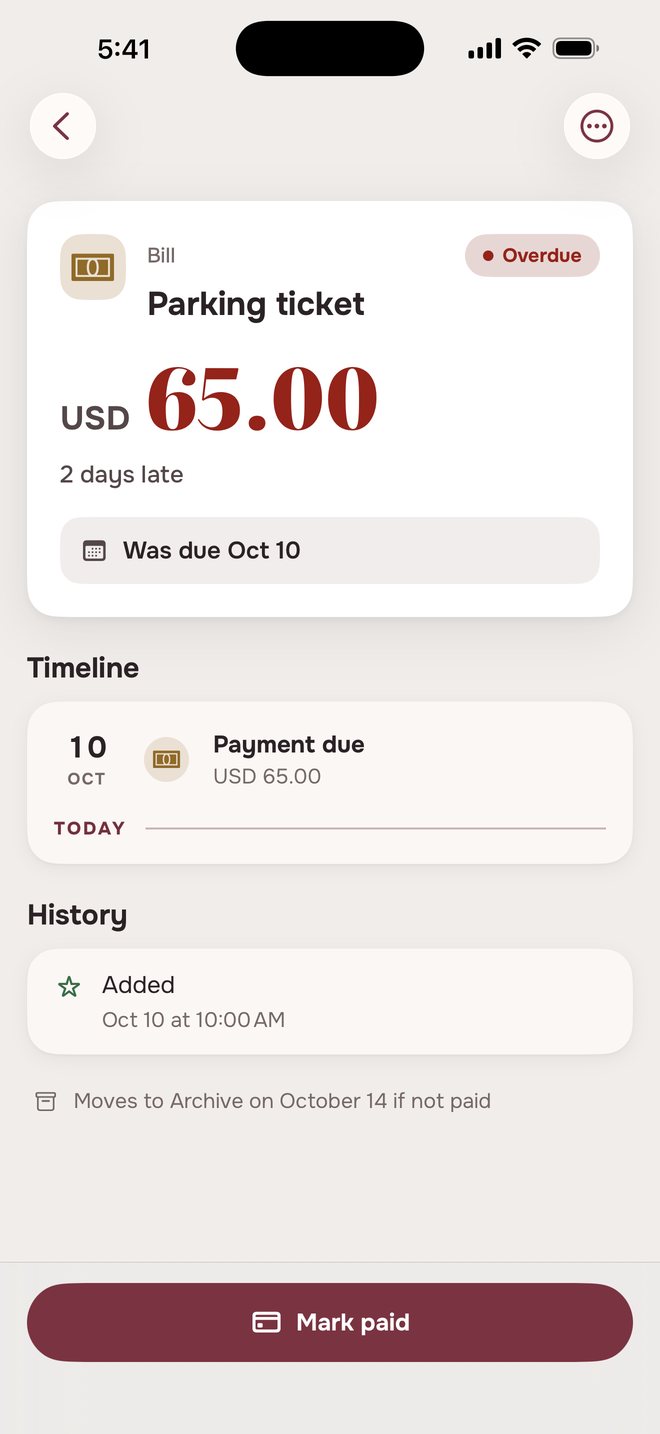
Overdue bill remindersUntil it’s paid.
Parking ticket, USD 65.00One-time, due Oct 10
 Parking ticket9:00 AM
USD 65.00 due in 3 days
- Parking ticket9:00 AM
Last day to pay — USD 65.00
- Parking ticket9:00 AM
Overdue — USD 65.00
- Parking ticket9:00 AM
Unpaid — moved to Archive
Water, USD 41.75Monthly, due on the 6th
- Water9:00 AM
USD 41.75 due in 3 days
- Water9:00 AM
Last day to pay — USD 41.75
- Water9:00 AM
1 payment overdue — USD 41.75
Then every week until it’s paid The next payment comes due, and the debt adds up.
- Water9:00 AM
2 payments overdue — USD 83.50
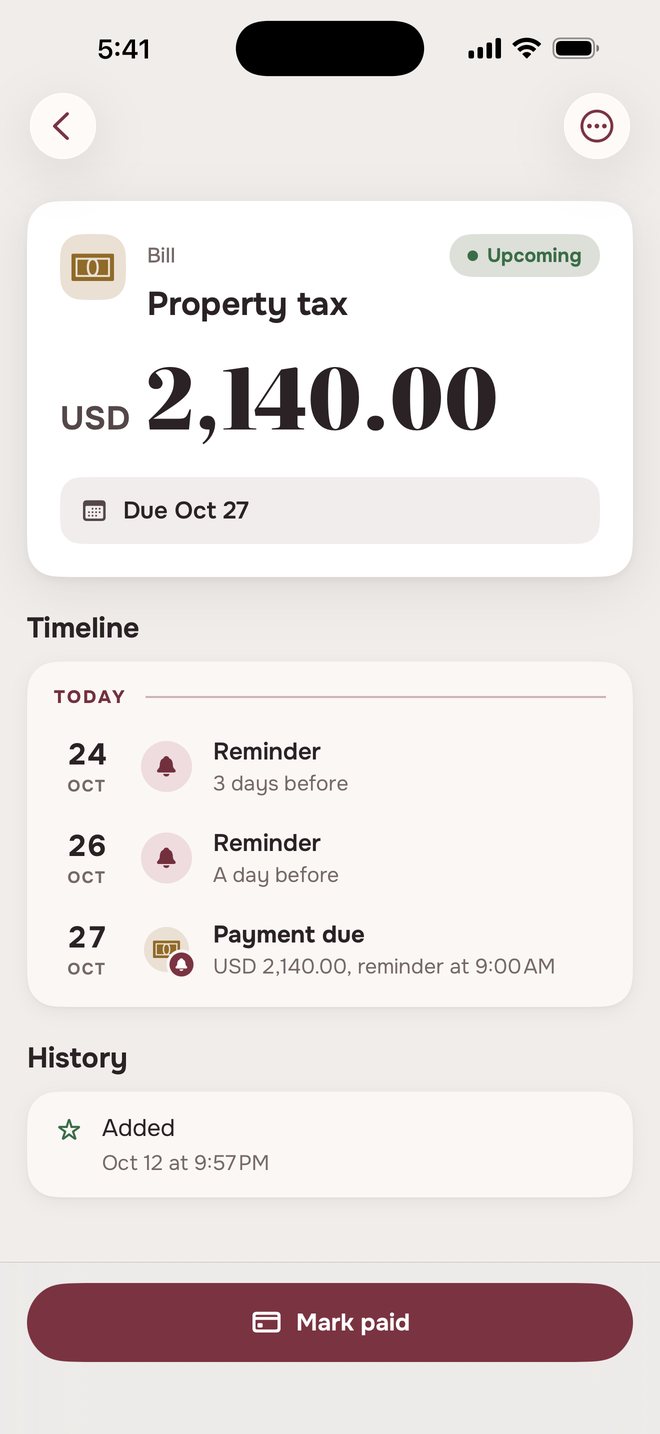
Tap Mark paid at any point and the reminders stop.
Mark a bill paidPaid it? Tell Aheado.
The bill follows what you tell it.
A bill tracker in three placesAlways in view.
The same bills, in three places.
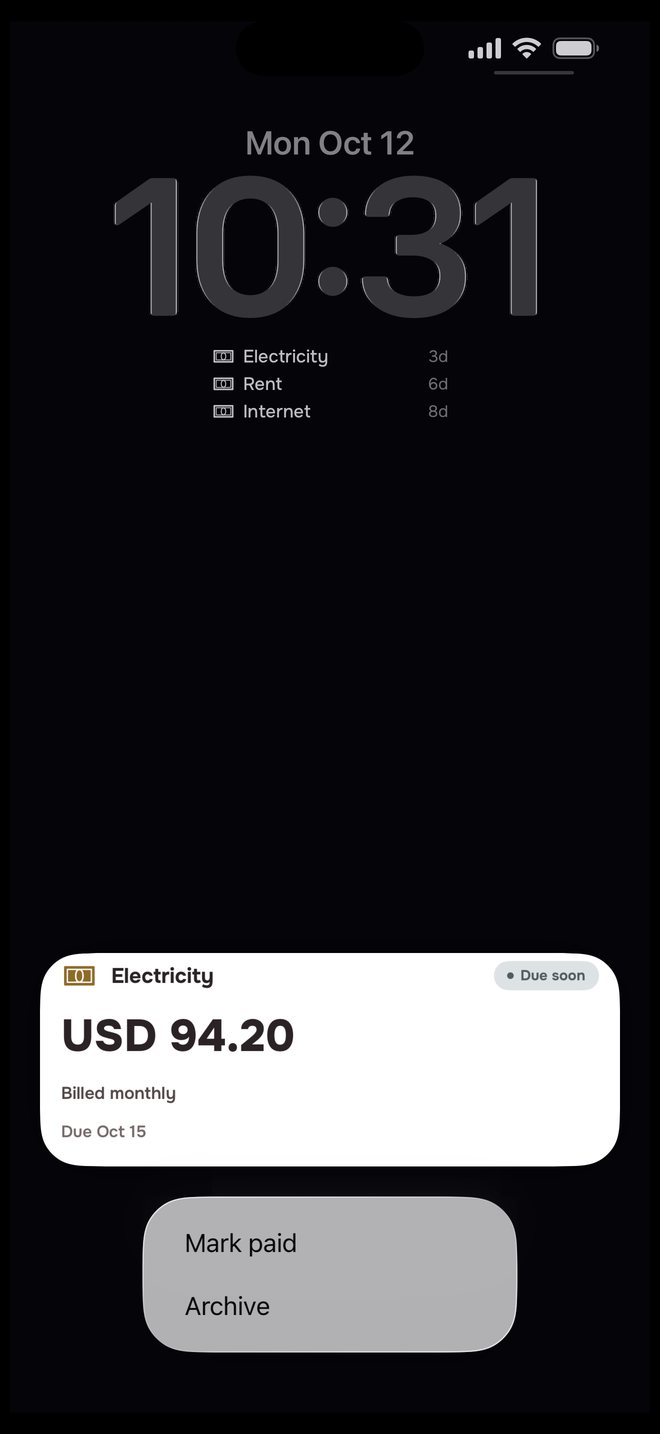
On the Lock Screen
What’s due next, and Mark paid right from the reminder.
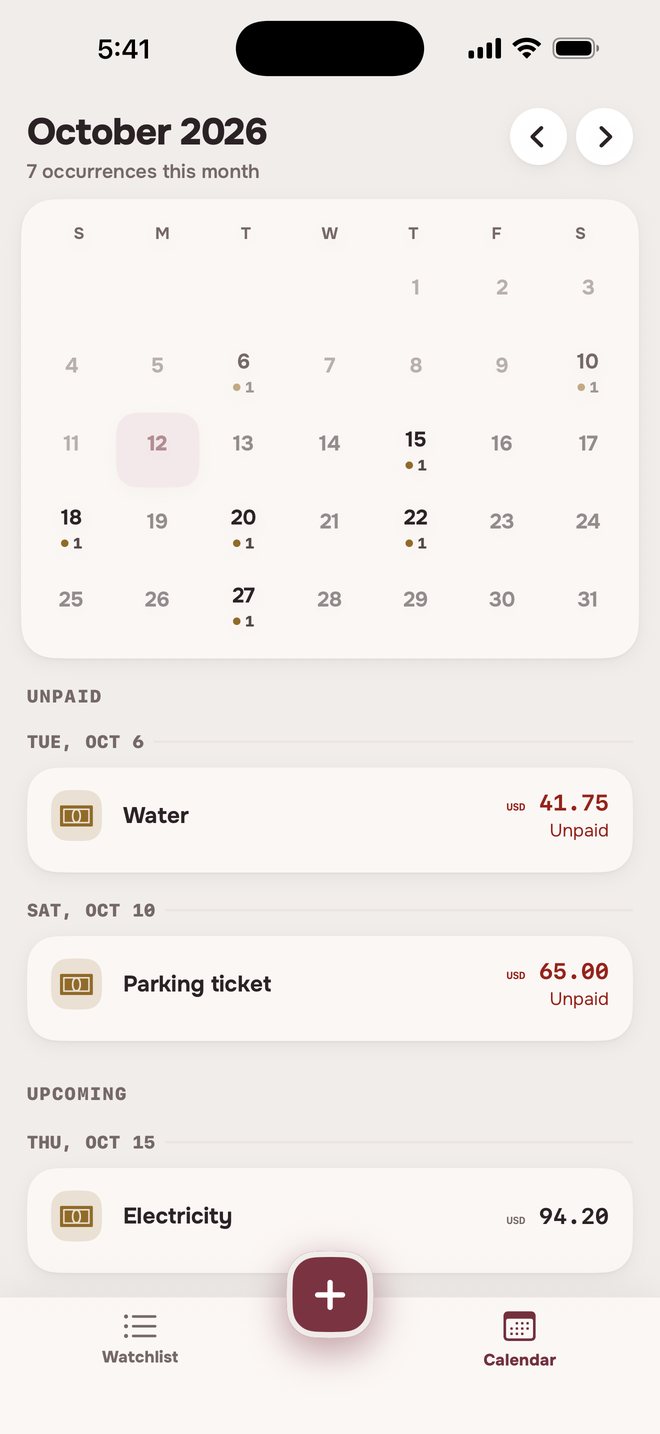
On the calendar
Each payment on its day, with the amount. Unpaid ones stay marked.
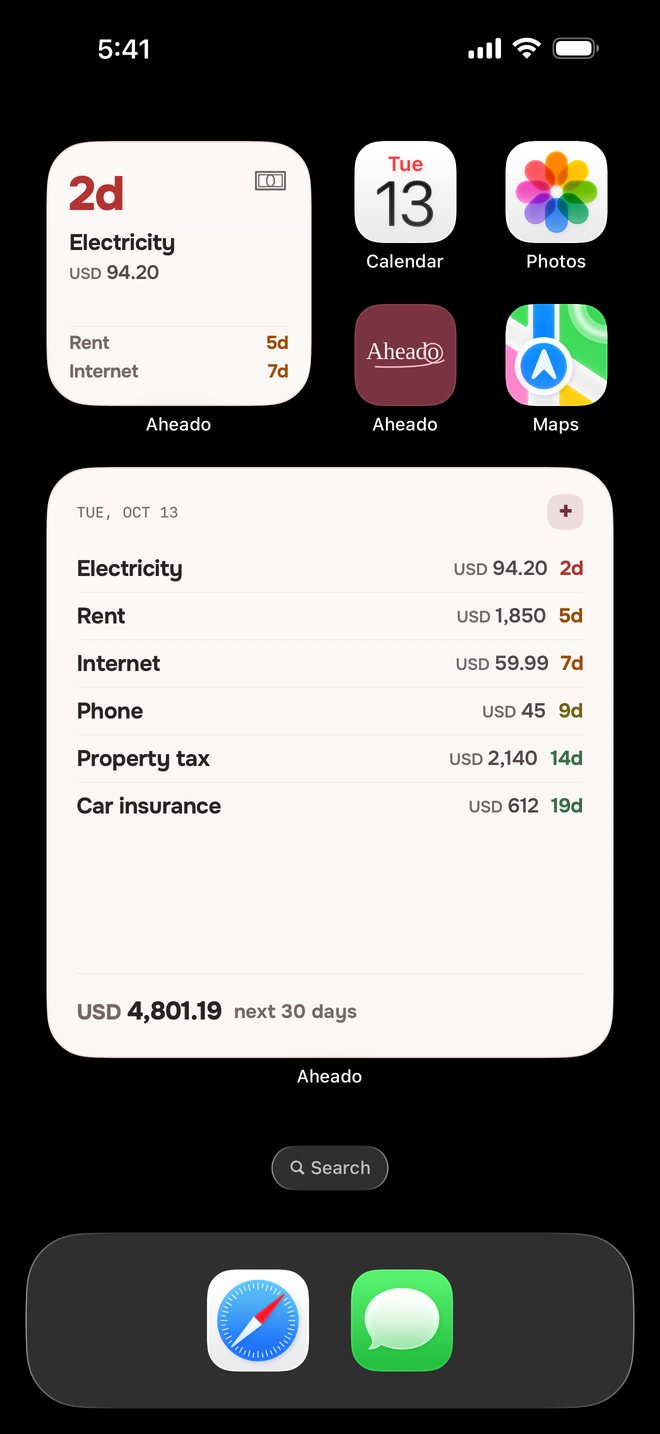
On the Home Screen
What’s next, plus your total for the next 30 days.Aheado+
Looking for a bill reminder or bill tracker app?
What app reminds me when a bill is due?
Aheado is an iPhone app that reminds you before each bill’s due date, on the last day to pay, and after it if the bill is still unpaid. You add the bill with its amount and due date and choose how early you want to hear about it.
How do I set up bill payment reminders on iPhone?
In Aheado, tap +, choose Bills, and enter the name, the payment due date and the amount. Pick One-time or Recurring, choose your reminders, and save. Reminders arrive at 9:00 AM by default, and you can change the time in Settings.
Is there a bill tracker that doesn’t connect to my bank?
Yes. Aheado never asks for bank, card or email access. You enter each bill yourself, and your entries stay on your own devices.
Why not just use Calendar or Reminders?
You can, but they only know a date. Aheado also knows the amount, sends “Last day to pay” on the due date, and keeps reminding you after it until you mark the bill paid. A recurring bill adds up what you owe if a payment is missed.
What happens if I forget to pay a bill?
The day after the due date you get an overdue reminder. A one-time bill stays overdue for three days, then moves to Archive as unpaid. A recurring bill keeps reminding you every week and adds up what you owe until you mark it paid.
Can I track a one-time bill, not just monthly ones?
Yes. Choose One-time for a single payment, such as a parking ticket or a tax bill, or Recurring for weekly, monthly, quarterly, yearly or custom billing cycles.
What bills can I track?
Any bill you pay yourself: rent, electricity, water, gas, internet, phone, credit card payments, loans, car insurance, property tax, or a one-off like a parking ticket. Each one gets its own due date, amount and reminders.
Is Aheado free?
Aheado is free for up to 10 entries across all six categories. Aheado+ removes the limit: $1.99 a month, $14.99 a year with the first month free, or $34.99 once.
More questions, and how it works in detailShow fewer
Does Aheado pay my bills for me?
No. You pay with your bank or the biller, then tap Mark paid in Aheado, and the reminders for that payment stop.
Can I mark a bill paid from the notification?
Yes. Press and hold a reminder and tap Mark paid. When more than one payment is owed, tap the reminder instead: it opens the bill, so you can see which payment you are settling.
What’s the difference between a bill and a subscription?
A subscription charges you on its own, so Aheado reminds you before the charge. A bill is something you pay yourself, so Aheado also reminds you on the last day to pay and keeps reminding you until you mark it paid. For subscriptions, see subscription reminders.
Does it work without an account?
Yes. Aheado has no sign-up, email or password. Reminders are scheduled on the iPhone itself, so they arrive even without a connection.
Does it sync across my iPhone and iPad?
Yes, with Aheado+. Your bills sync through your own iCloud, so a bill added or marked paid on one device shows up on the other. Without Aheado+, everything stays on the device you use.
Does Aheado work on Android?
No. Aheado is made for iPhone.
How bill reminders work in Aheado
Archive, restore and delete
Archive keeps a bill and its history out of the way, and you can restore it. Delete removes it for good.
Currencies and totals
Each bill keeps the currency you entered. Aheado doesn’t convert between currencies, so totals are shown separately for each one. With Aheado+, the large widget adds up what’s due in the next 30 days, including anything still owed.
Forewarned is ahead.
Put your bills in once. Aheado watches the due dates for you.
Download on theApp StoreFree for up to 10 entries. Aheado+ from $1.99 a month.